CONTEXT
Driving brand transformation with design thinking & trust: A usability-led journey to higher adoption and happier users
Team
3 Product Designers, 1 Product Manager, 2 Developers

My Role
Product Designer
Timeline
1+ yrs (Jan 2025 - Feb 2026)
Business Model
Cross-platform app
Problem
The current app was facing high user abondment rates, usability issues, frustrating onboarding and felt outdated. Users stopped using the app only after days due to these issues.
Solution
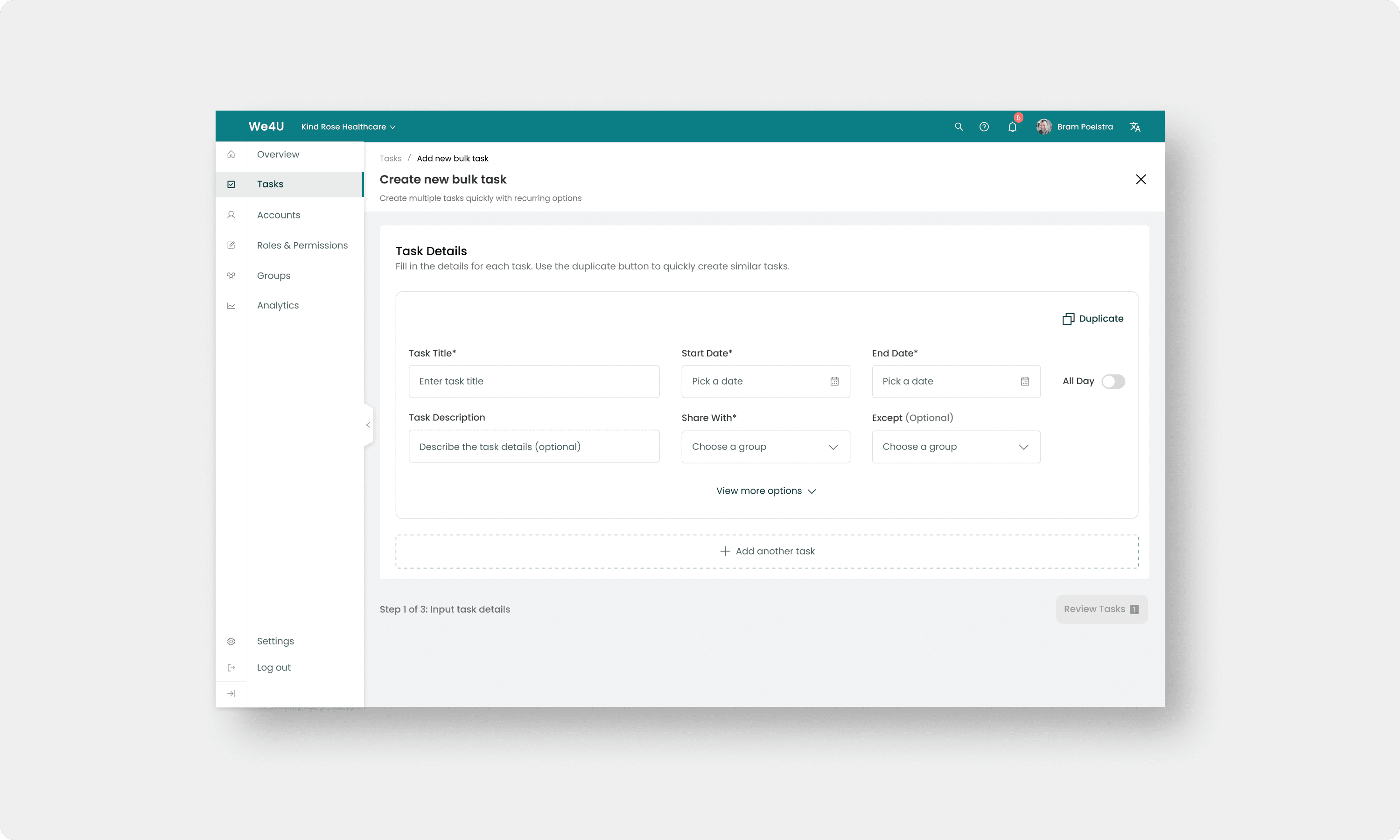
A complete overhaul of the app including home dashboard, task creation, task filtering and task management along with fresh new branding.
Outcome

We4U was born from founder Josine’s personal experience when her husband received a cancer diagnosis…
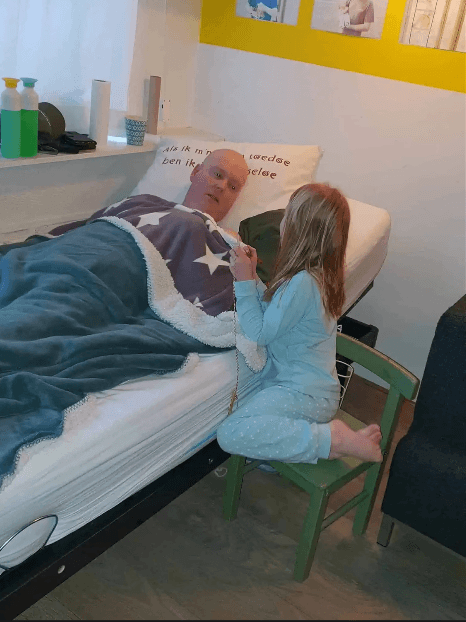
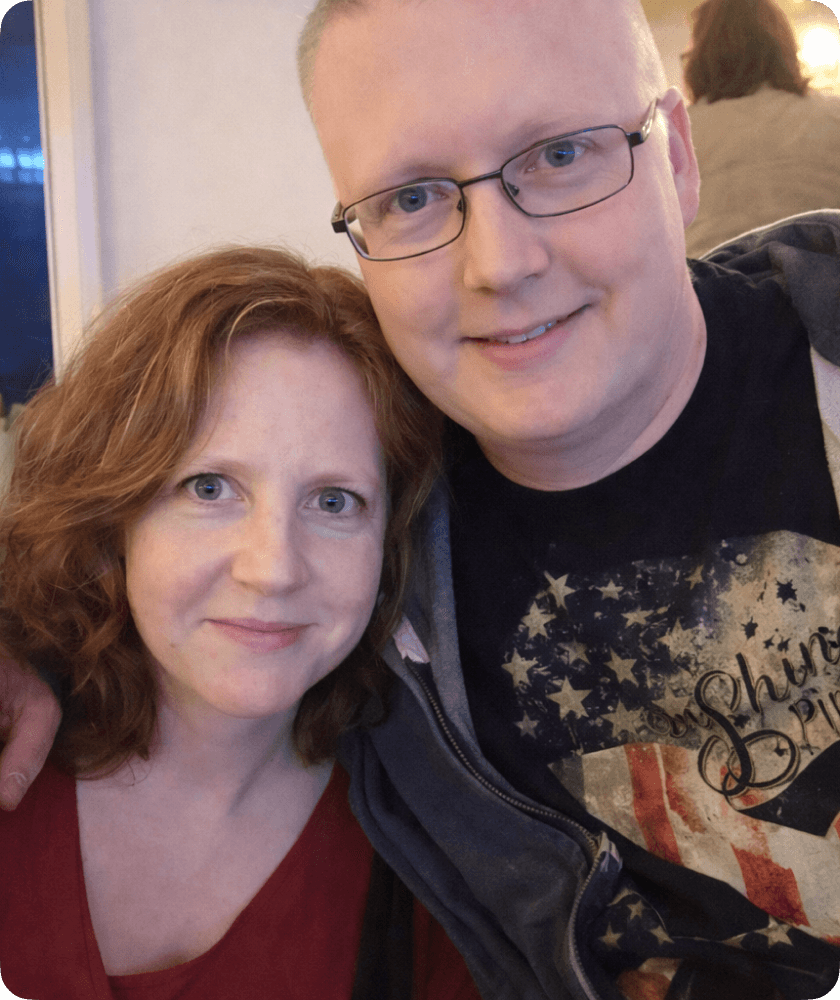
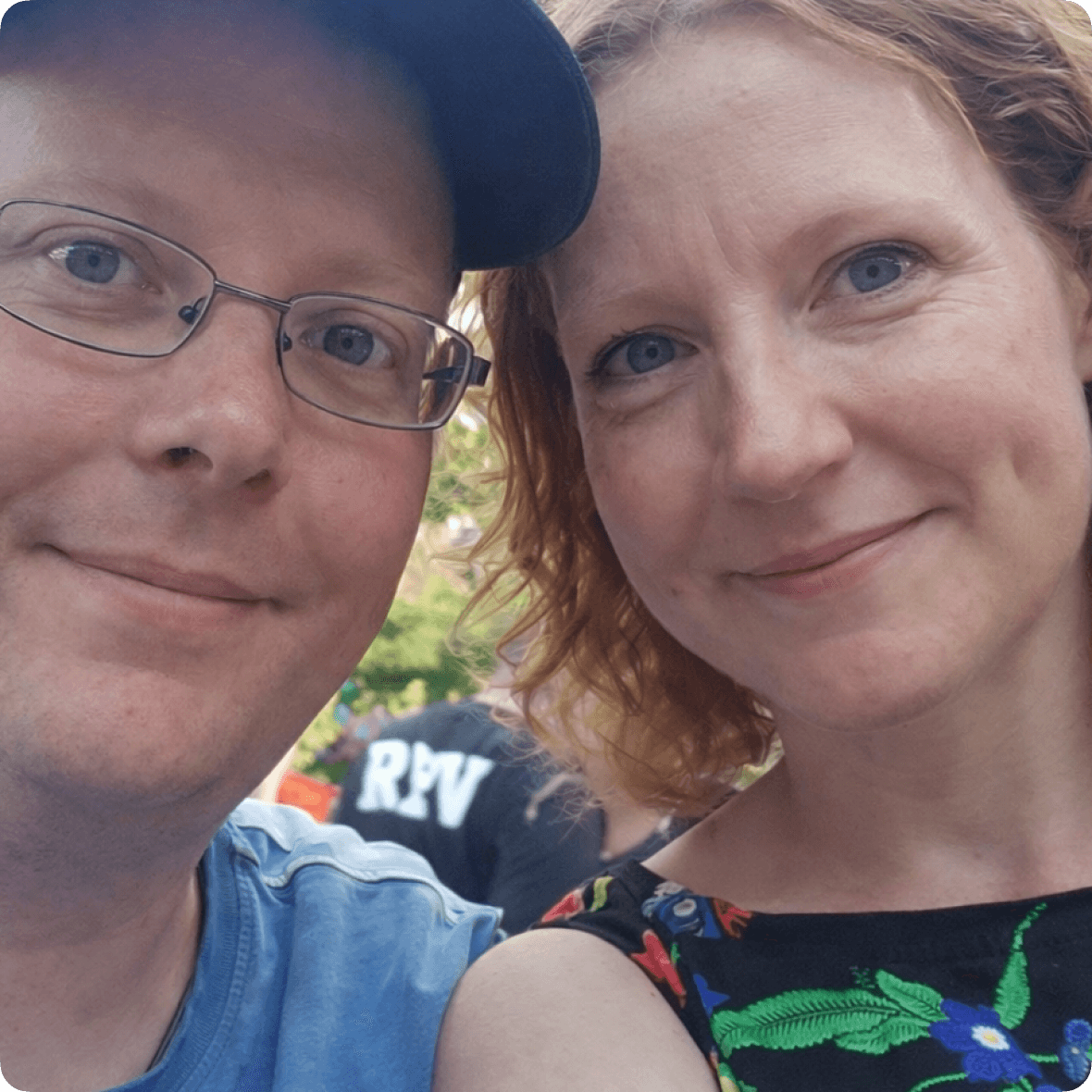
Subsequently, managing daily support from family and friends through scattered phone calls and text messages became overwhelming.
School pickups and drop-offs, grocery shopping, household chores—coordinating these everyday tasks through individual messages created confusion and inefficiency.
There was no centralized system to track what help was needed or who had volunteered, leaving both helpers and those needing support without clear visibility.
This lived experience inspired the creation of We4U.
My role
As the product designer of the team, I self-initiated the strategy and built the business case to transform situational trust into consistent support for help requesters via task completion. I focused on creating a modern, high-fidelity experience using design patterns, clear visual hierachy and a refereshed interface (with new branding) to make task completion feel like a genuine gesture of support rather than a burden. Along the way, I pioneered AI integration in our design process using Figma Make, Lovable and UX Pilot. This trust-driven framework proved very effective during protoype testing, achieving high task completion rates.
THE PROBLEM
The original app was built by engineers without UX considerations
But it soon encountered complaints and resentment from users. The app faced major usability issues, ignored key usability heuristic guidelines and experienced high user abandonment within a month after launch.
Below ↓: Initial app screenshots in Dutch
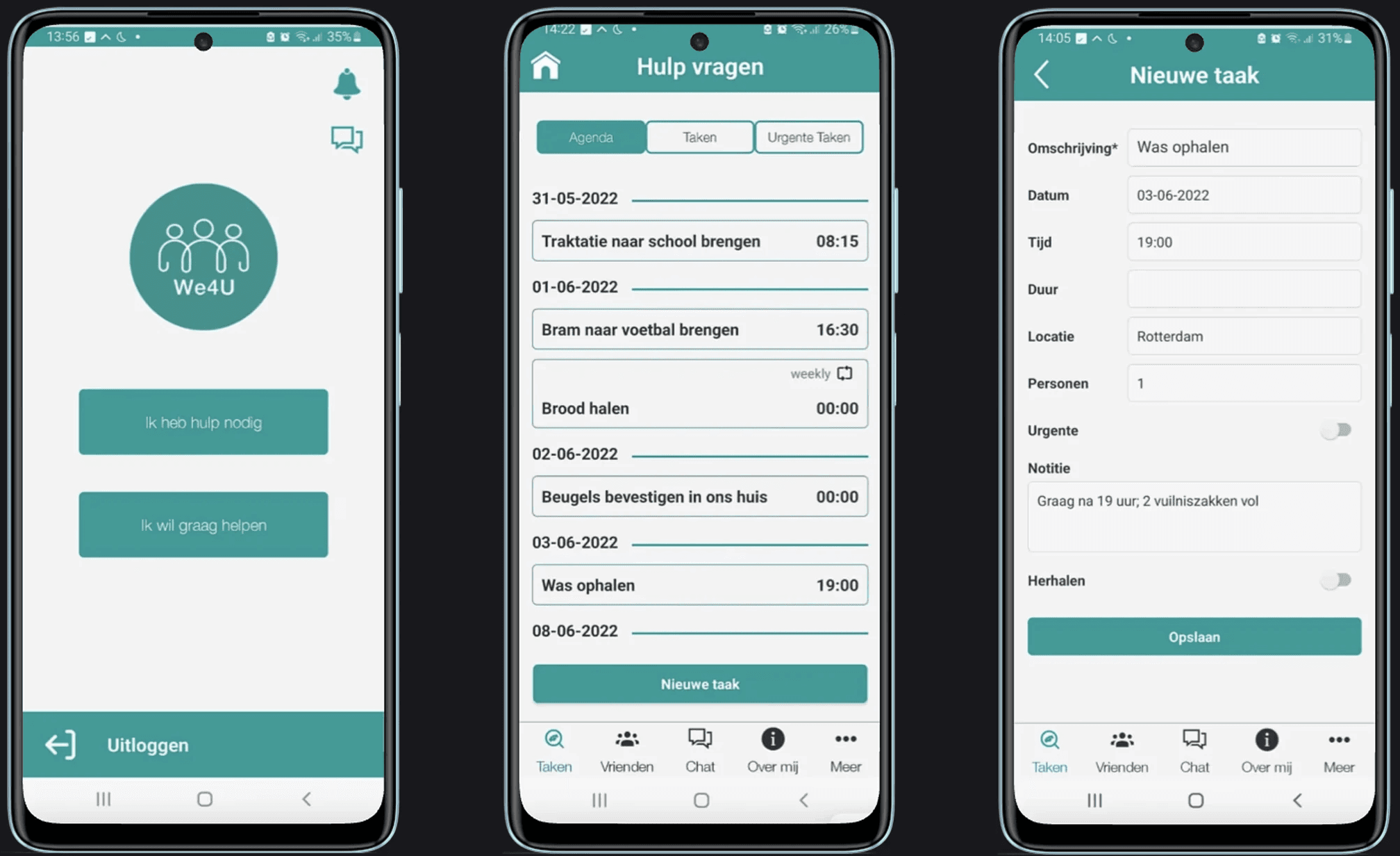
With the future of We4U's business at stake, we knew these were critical problems to solve for We4U. This is an overview of how I steered the project over 10 months by partnering with 3 other designers to improve the existing user journeys and sub-journeys, remove friction from key flows, create a comprehensive design system and publish a redesigned app on the app stores.
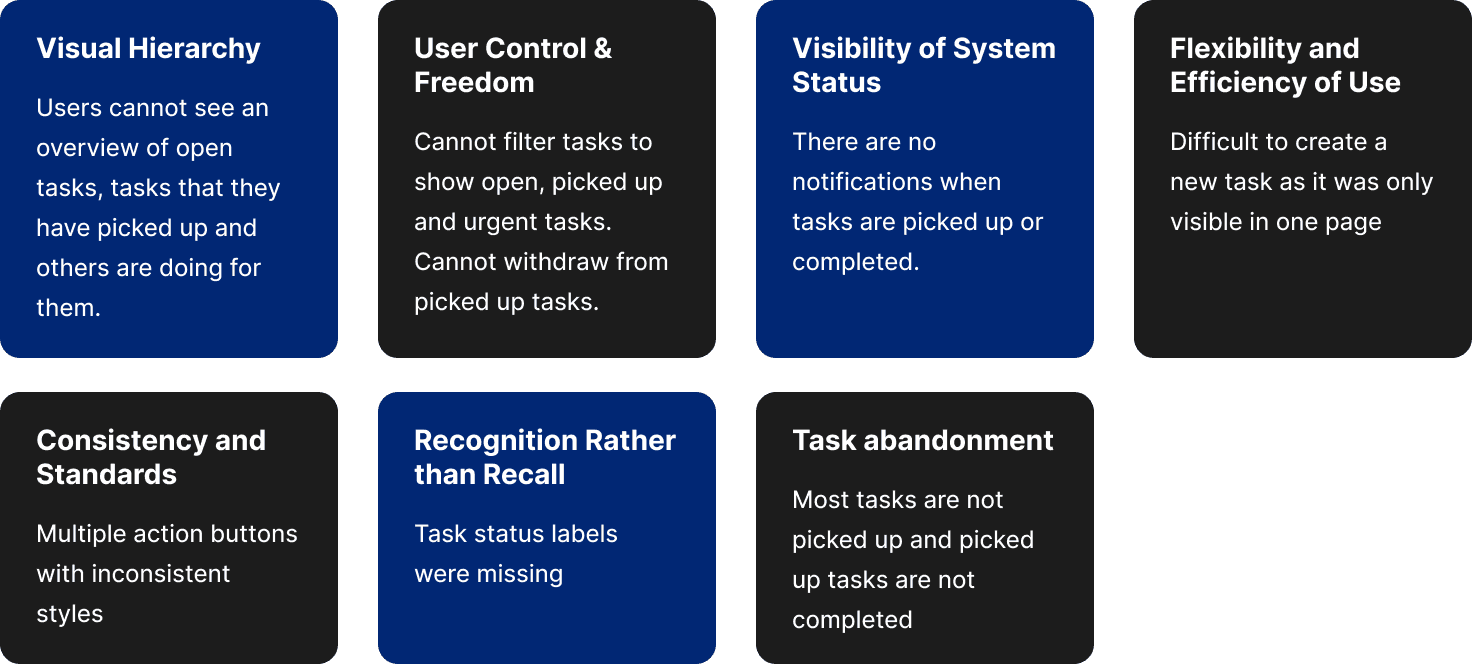
The core problems were:
Clunky task filtering
Lack of task status
Helpers are not presented with enough information about tasks.
There is no flexibility to change dates/times and therefore many helpers simply abondon completing tasks.
Opportunity
How might we reinforce help and support by turning situational trust and gratitude into a consistent task completion habit?
RESEARCH & INSIGHTS
First thing I did was schedule meetings with the stakeholders and the product owner. I wanted to understand how they approached task management with the current app, its shortcomings and what problems they have. I also asked them how the current app helped them in the process and if they could show us how they used it.

When I scroll through the app, I can’t easily see which tasks people have already picked up for me in the coming days, so I keep opening each task one by one and it’s exhausting

Key insights from user interviews
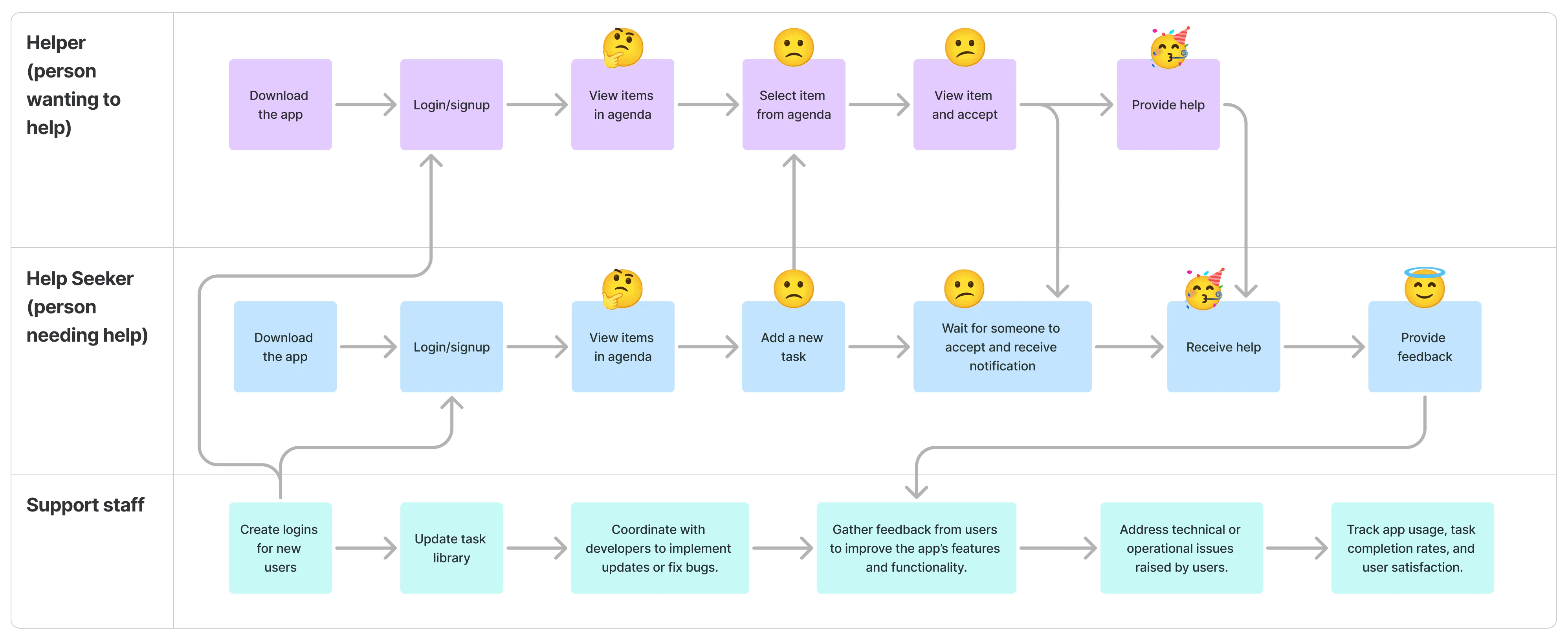
How do users currently provide and get help on We4U?
Users usually create tasks and these tasks would be left without any action and subsequently become overdue.
When someone wants to pick up a task, they are not given enough information about a task.
Every task card looks visually similar.
Why did the old design need a revamp?
Hypothesis
By shifting We4U from coordinating tasks in the background to actively surfacing moments of care (e.g., thanking someone when they complete a task), we can increase mutual trust and everyday gratitude experiences among users.
PROCESS
Clearly there were many issues with the current We4U app that needed addressing. To help converge on a few problems to solve, we rewrote them as user outcomes and dot voted as a team. There were only 5 options so each of us only had two votes. I led this workshop with designers and a product manager from the team.
It was also important to prioritise what to work on due to budget constraints.
Help users to see open tasks easily
Help new users to create tasks faster
Help user see al relevant information on task cards
Help users to filter between tasks that users need to do for others vs others do for them
Help users to see all group chats easily
We converged on making the task overview more relevant, scannable, and actionable for both seekers and helpers
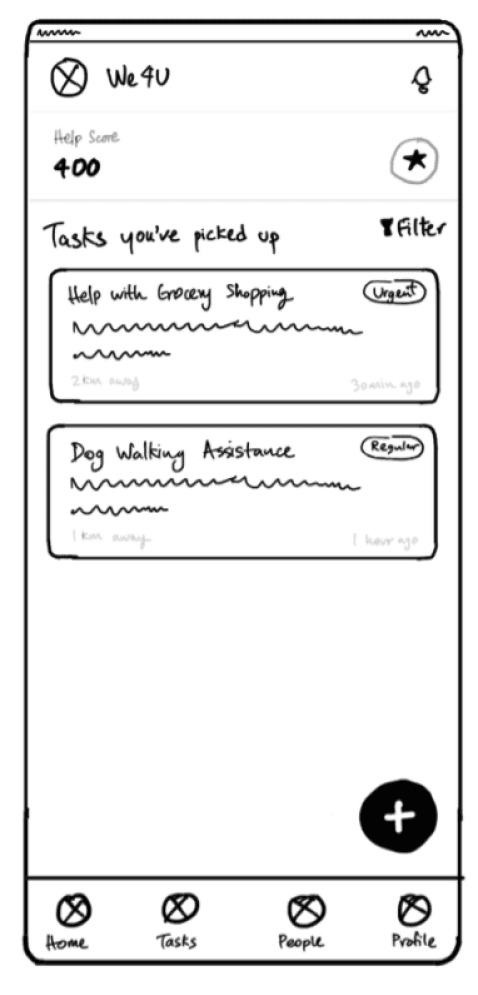
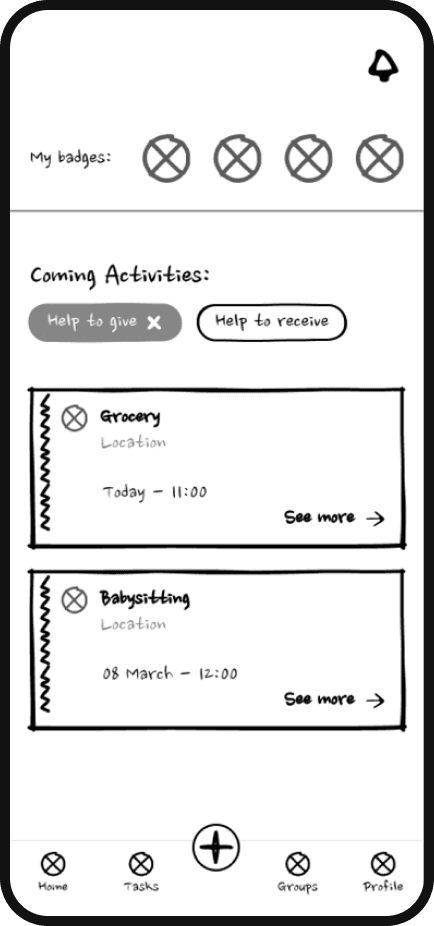
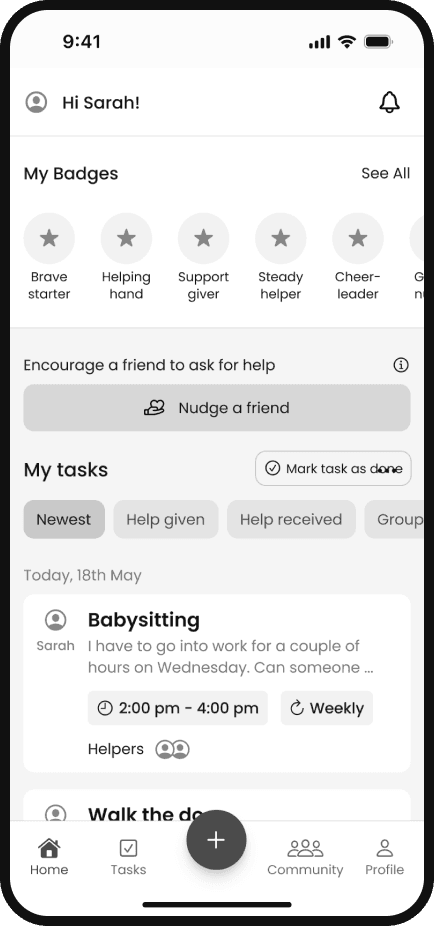
How the home screen evolved
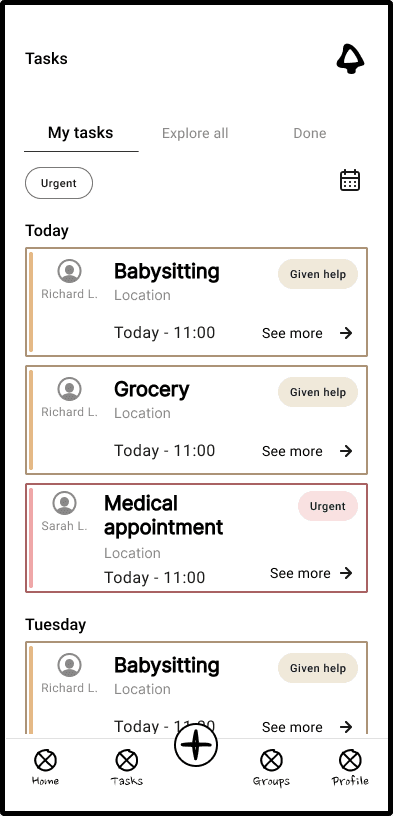
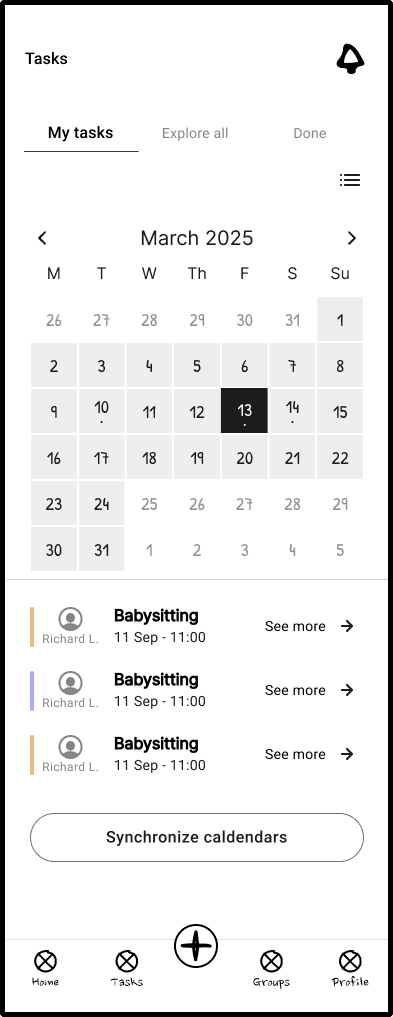
How the task screen evolved
Narrowing down to the best solutions
We did 4 rounds of idea generation. The ones that stood out were the screens that had filter options and calendar view more prominently.
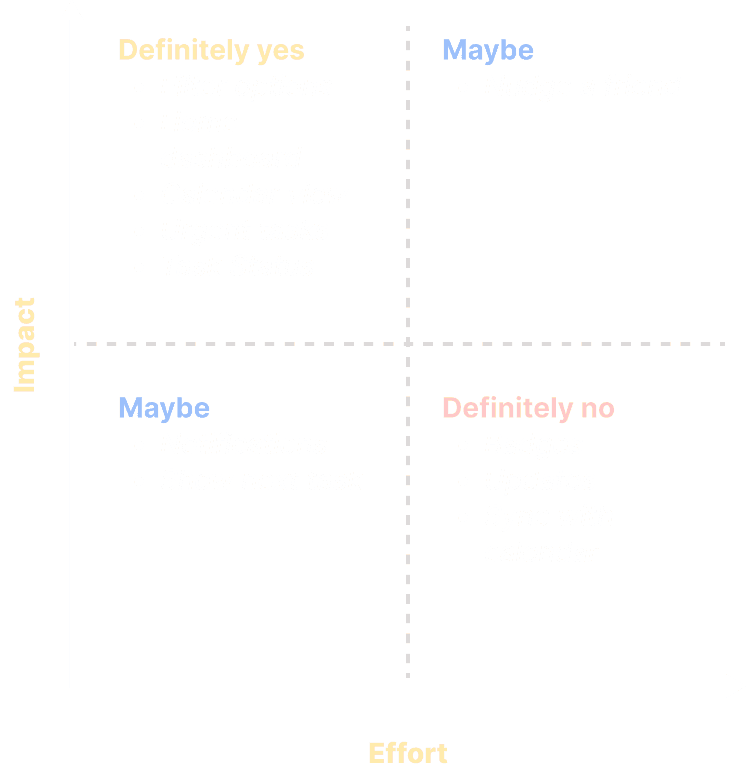
At one point, we had so many screens that it was difficult to decide which screens to more forward with. We ended up using a impact/effort matrix to decide on the final screens.
We used this matrix with devs to agree what we could deliver in the first MVP. Due to technical constraints, we had to keep calendar sync and badges for a future version.
SOLUTION
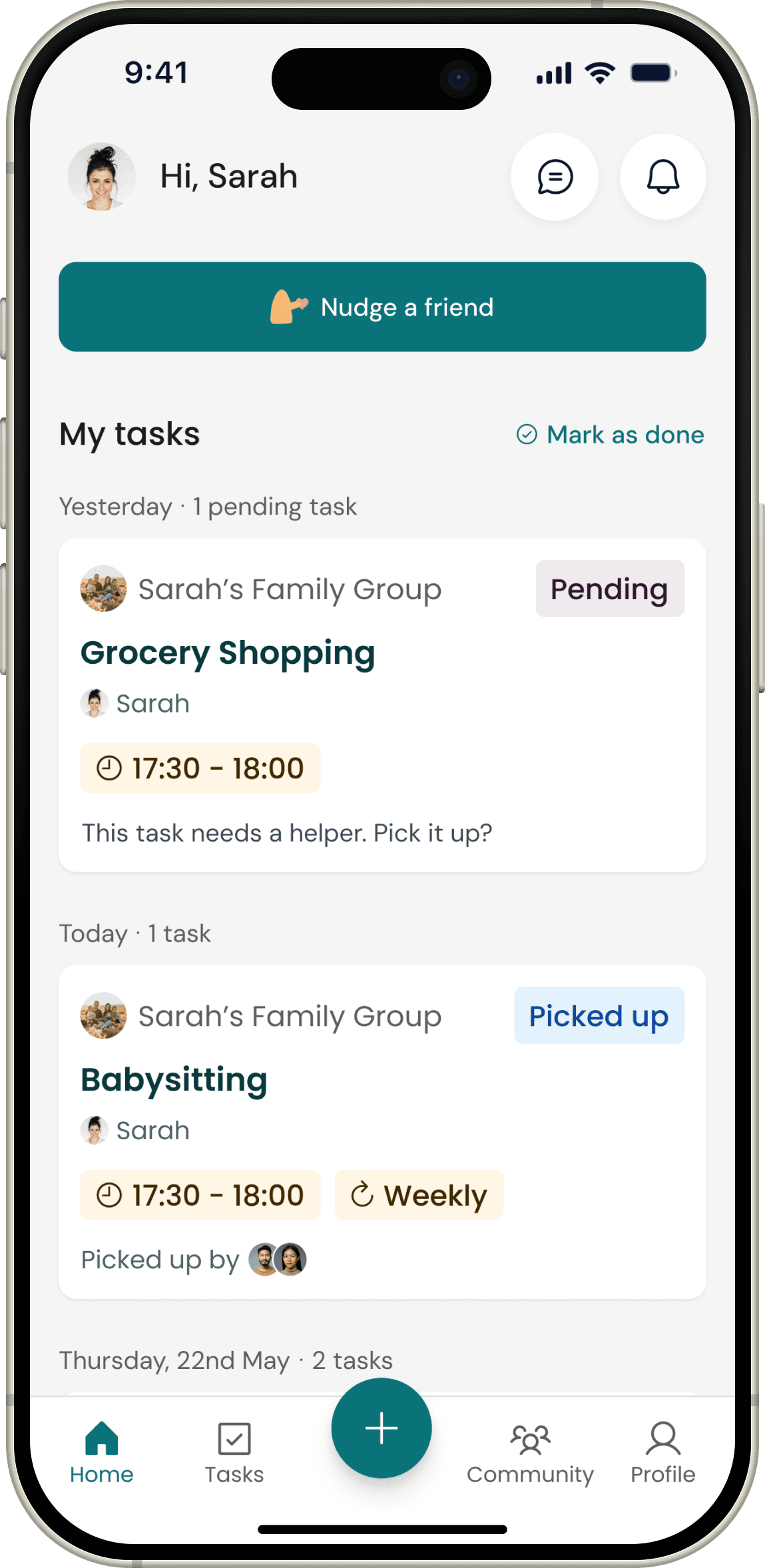
Initial home page explorations
❌ First version failed:
The information on this page was already available on the tasks page leading to duplication.
Users couldn’t immediately see how many tasks were due for them, others have picked up for them and any urgent tasks. This led us, stakeholders and PM to consider a dashboard view for the home screen.
Users didn't see much value in the 'Nudge a friend' button that was featured prominently.
Initial task page explorations
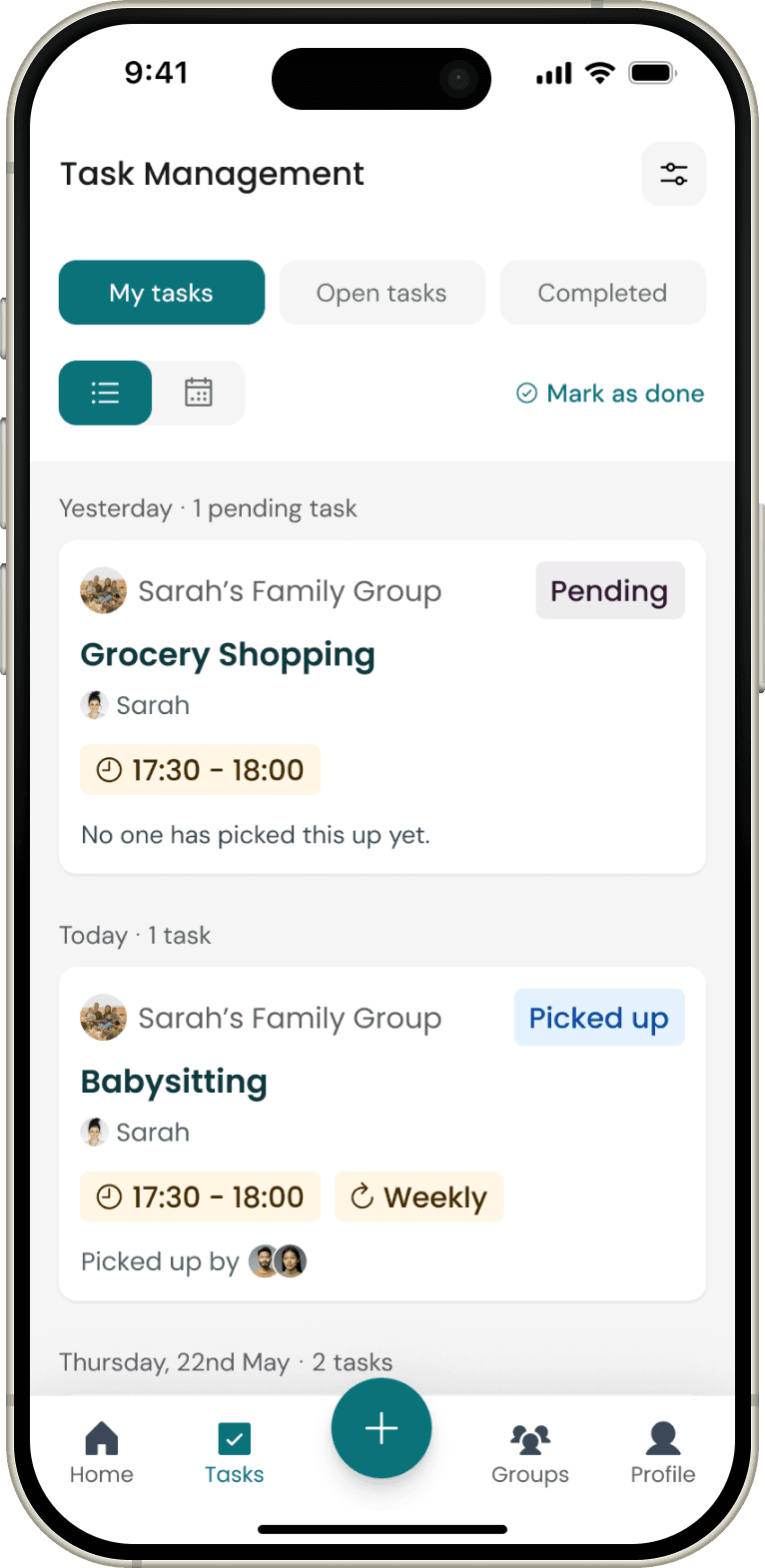
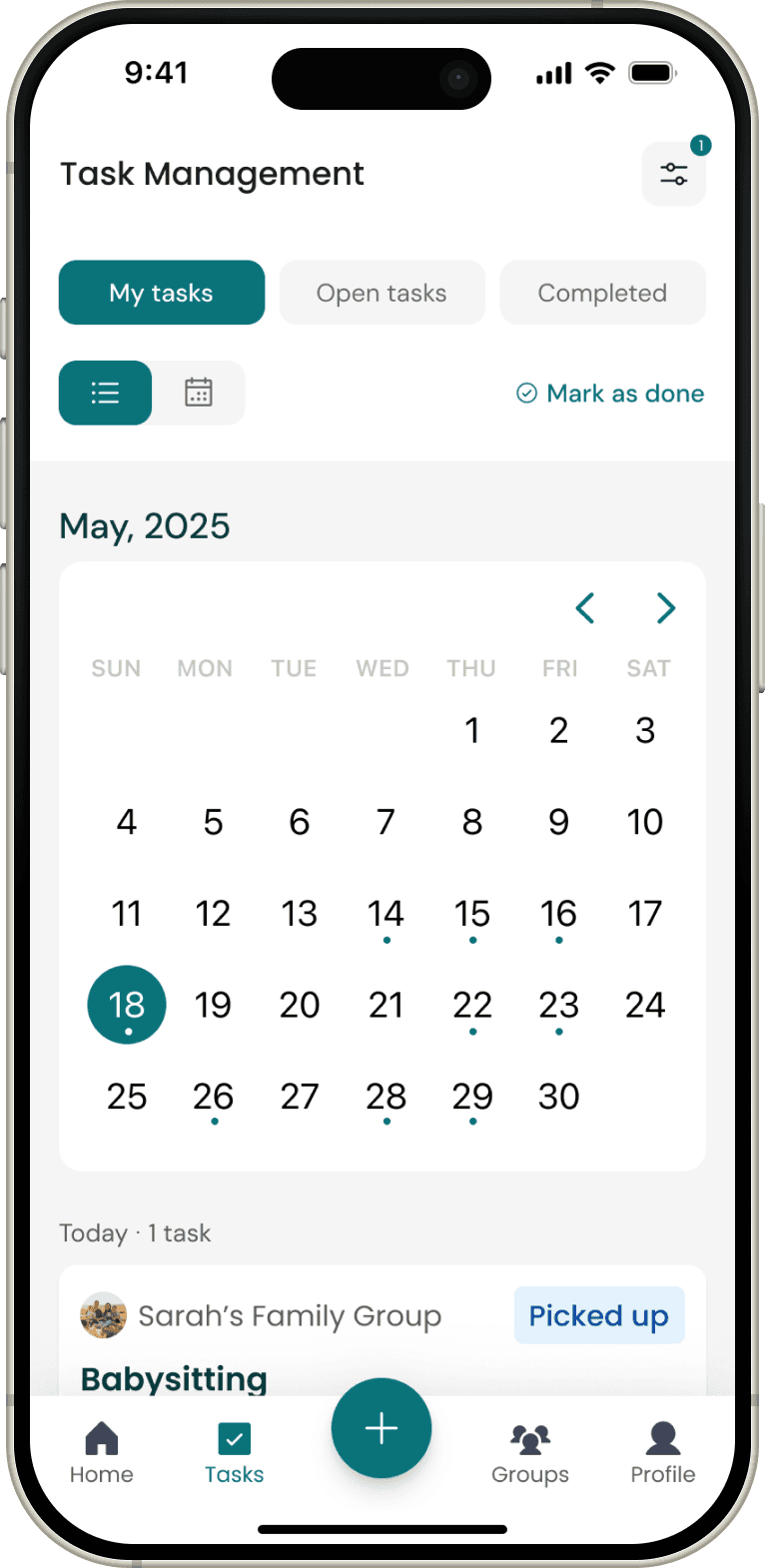
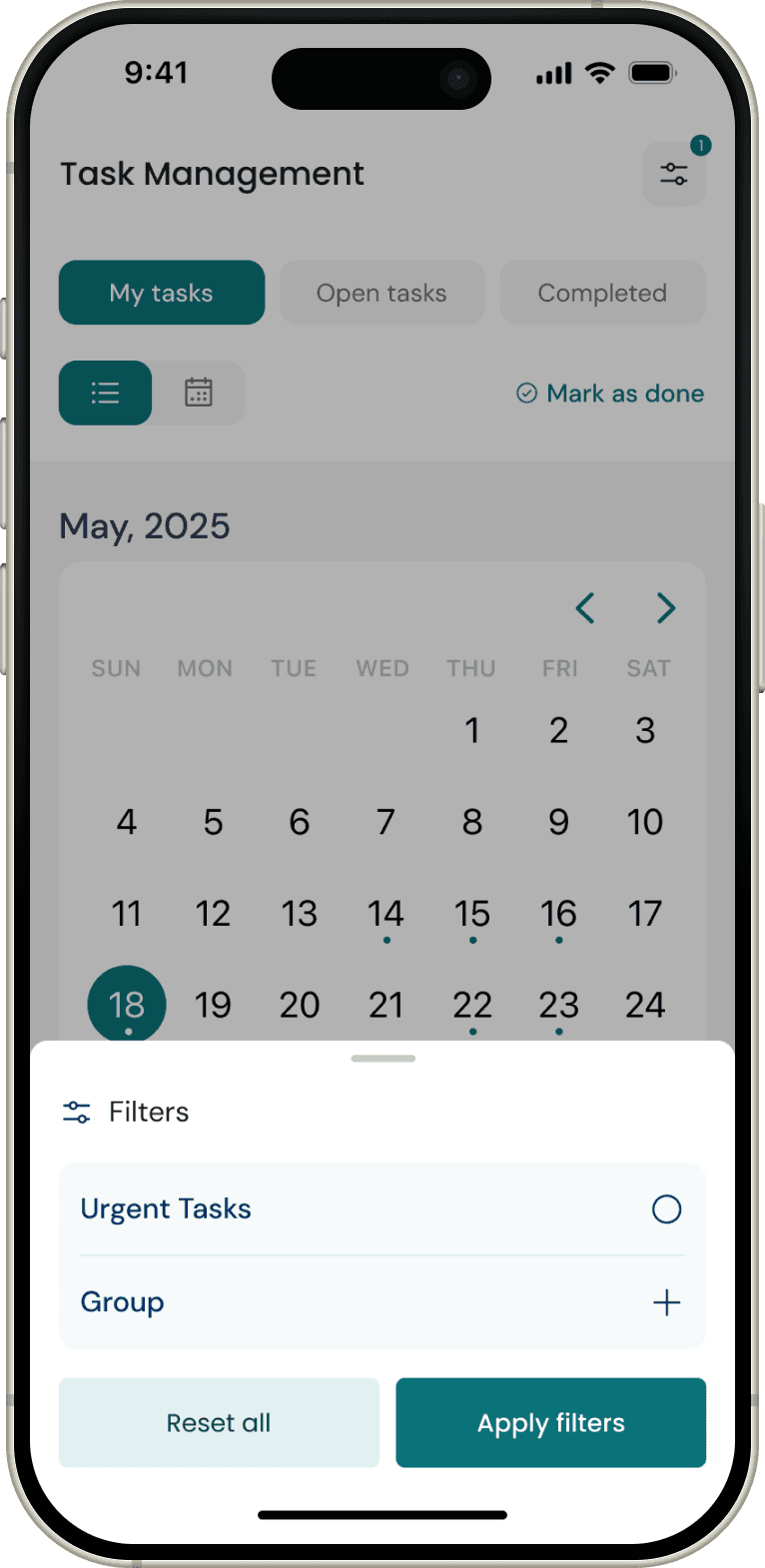
❌ First version failed:
The applied filters were hidden
We found that if a user scrolls to a different date, they need to filter again to see the desired results, which was too many clicks and cumbersome.
It was not super important to see completed tasks straightaway.
Home - final designs → post rebranding
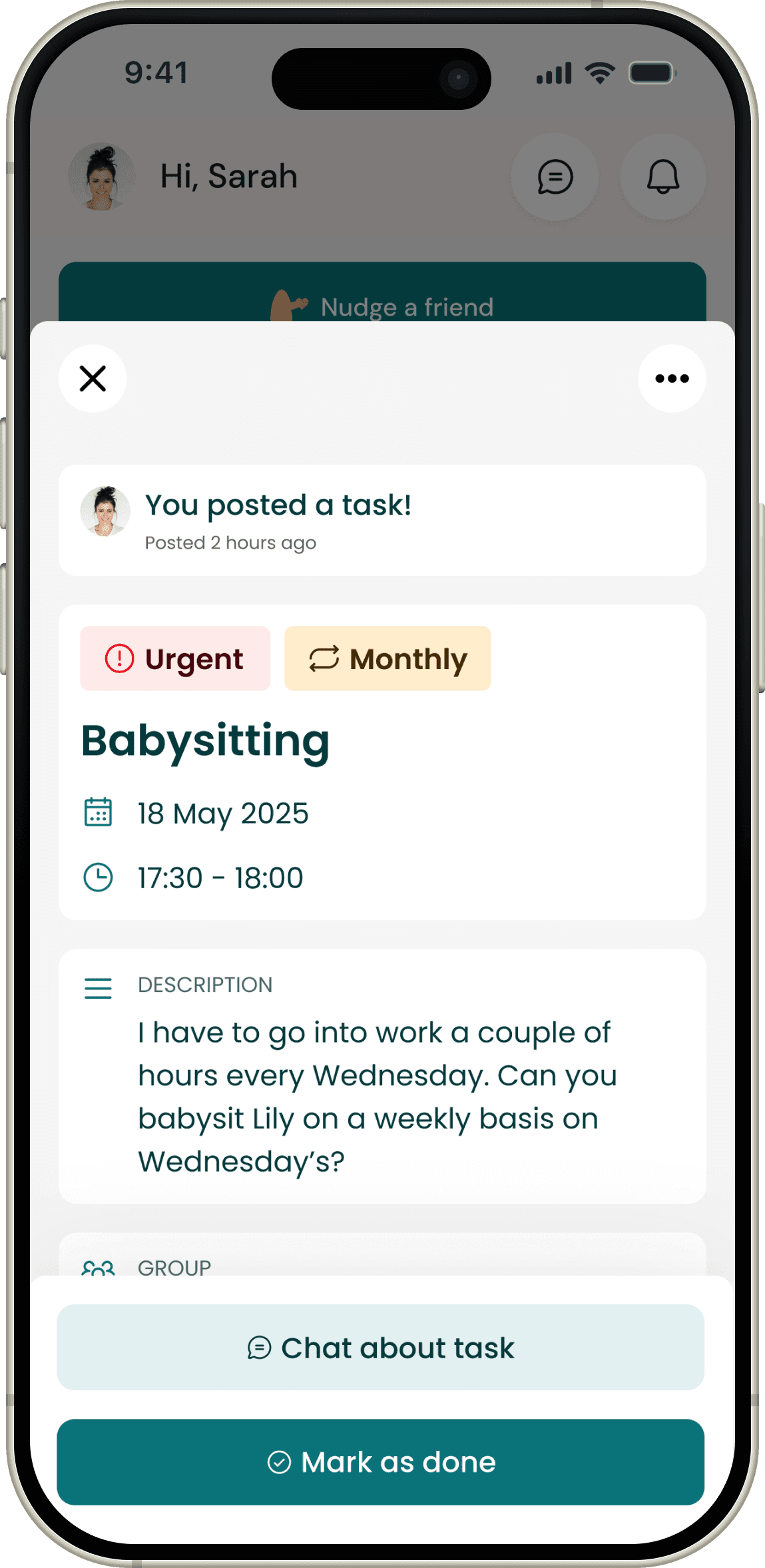
After several design reviews, user tests, and stakeholder check-ins, we landed on a solution that balances usability with emotional resonance. By polishing the interface and adding contemporary interactions, we reshaped task pickup, completion, and creation into a high-fidelity moment of gratitude that feels like a seamless part of the overall journey.
✅ This version was a success
The new dashboard view presented users with a birds' eye view of all the tasks, including ones that were due for them and urgent tasks.
The immediate next task was shown at the top, allowing users to get to it right away.
When they navigate to a particular category, they are taken to the tasks page with the relevant filters already applied.
Clear status labels on the task cards enabled users to quickly identify tasks that needed to be picked up.
Tasks - final designs → post rebranding
✅ This version was a success
Combined visible filter chips with the calendar and kept filters persistent when navigating dates
We found out that in this way of multiple filters allowed users to really get to the tasks that mattered to them and wanted to completed first.
Filters enabled people to see only what’s relevant now instead of scanning every card.
We achieved trust and gratitude 🤩
Building a trust- and empathy-led experience was a core goal for We4U. By making gratitude visible, clarifying task responsibilities, and keeping people informed, the app encourages more helping behavior and strengthens confidence in the app.
Modern task cards and labels → Tasks are presented with clear status labels such as open, urgent, and taken, so helpers immediately understand what needs attention and what is already covered. This reduces confusion and builds trust that the overview reflects reality.
Gratitude-first thank you moments → After a task is completed, the requester can send a light-weight “thank you” message or appreciation moment, turning a functional action into a brief, emotional acknowledgment. This reinforces helpful behavior and makes contributors feel seen rather than treated as a generic resource.
Transparent group context → Tasks always live inside groups (e.g., open, closed), with clear visibility rules and role-based access. Knowing exactly which group a task belongs to and who can see what increases psychological safety for both helpers and help requesters.
Trust through timely notifications → Configurable push notifications and summaries keep users updated when tasks are accepted, changed, or returned, always deep-linking back into the relevant task or chat. This responsiveness signals reliability and prevents missed help, which is crucial for vulnerable care contexts.
Personal but privacy-safe communication → Each task has its own chat, so coordination feels personal and focused while avoiding noisy group chats. Combined with per-group privacy settings and optional profile details, users can connect as people while still feeling in control of their data and boundaries.
IMPACT
Task completion rates
Time to complete tasks
Experience rating
REFLECTION
Stakeholders can have strong opinions about the design direction. It was important to balance these views with links back to user research, user pain points, goals and needs.
The development team joined later in the project, meaning that our create task → share to group model was not technically feasible. The new model was create group → add members → create tasks in group.
We are currently conducting testing on TestFlight. I am happy with how the project turned out. But I learnt that, especially in startup environments, things are changing fast and we need to adapt to the changes.
💡Key Learnings
✋ Stakeholder alignment is critical and ongoing
🧑💻 Early technical collaboration is essential
⚡ Product must stay adaptable in a fast-changing startup context
That’s it. Thank you for reading. 😇